
Managing a trading account involves several everyday tasks: keeping track of funds and transactions, researching instruments, following market events, and accessing the information needed to make informed trading decisions. The Xameleon Client Area brings these activities together, making it easier to manage your account, stay informed about the markets, and move from research to trading.
This article opens our series on the Client Area with an overview of its main features, which we’ll explore individually in the upcoming articles.
Inside the Xameleon Client Area
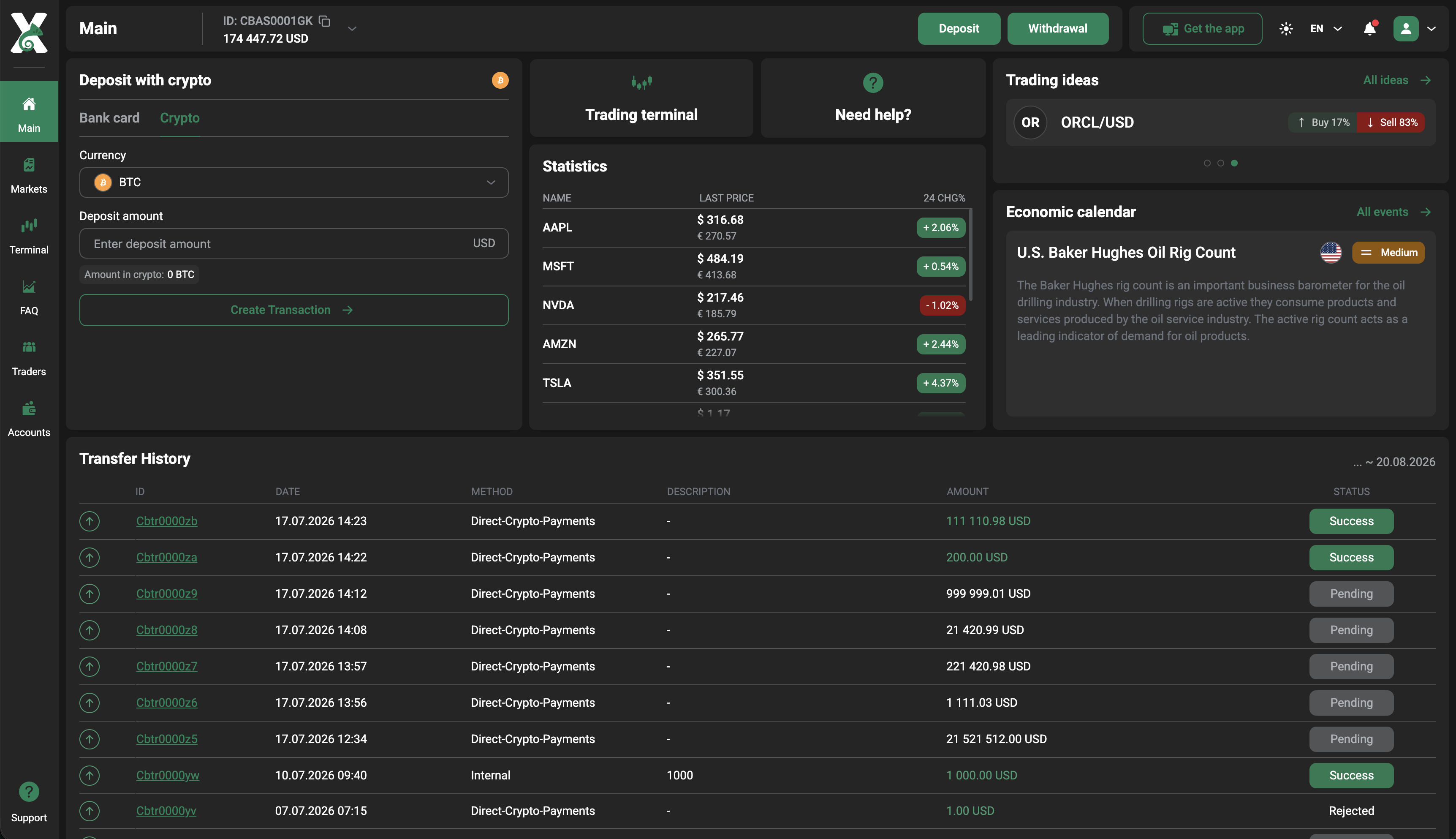
The Main page provides an overview of the account and quick access to key actions. From here, users can check their current balance, make a deposit or request a withdrawal, open the Trading Terminal, and review recent financial operations. Beyond the dashboard, the Client Area covers the main activities involved in managing and using a trading account. Clients can:
-
deposit and withdraw funds using available payment methods;
-
review previous operations in Transfer History;
-
access the Trading Terminal and work with available instruments;
-
follow market statistics and Trading Ideas;
-
check upcoming events in the Economic Calendar;
-
find additional trading and security information in the FAQ.
Each section focuses on a specific part of the client journey while remaining easily accessible from the broader Client Area.
From Market Research to Action
The value of the Client Area comes from how easily clients can move between different tasks as their needs change. They might start by checking their balance and recent activity, then review current market movements or upcoming economic events before deciding whether to explore an instrument further.
When a potential opportunity catches their attention, Trading Ideas can provide additional context, while the Trading Terminal gives them the tools to examine the instrument in more detail. If funds need to be added before trading, payment options are readily available, and previous transactions can be checked whenever needed. This creates a practical workflow rather than a collection of isolated features.
Next, we’ll take a closer look at Payments in Xameleon, including available payment methods, deposits, withdrawals, and transaction tracking.