
Reliable and convenient payment management is an important part of the trading experience, giving clients the flexibility to fund their accounts when they are ready to trade, access their funds when needed, and keep track of every transaction. The Xameleon Client Area supports this process with dedicated flows for deposits and withdrawals, a choice of available payment methods, and Transfer History for monitoring payment activity and transaction statuses.
Convenient Deposit Methods
To fund your account, select Deposit and choose from the payment methods available for the transaction. Depending on the available options, these may include:
-
bank cards for direct card payments;
-
bank transfers from a bank account;
-
e-wallets for payments through supported digital wallet services;
-
cryptocurrency transfers using supported digital assets.
Each method has its own requirements. After selecting an option, specify the amount and provide the requested payment information. Supported currencies, limits, and other conditions may vary depending on the method you choose.
Cryptocurrency deposits involve a few additional details. Depending on the selected asset, you may need to choose a blockchain network before the transfer details are generated. Xameleon then provides the information needed to complete the transfer, such as the destination address. Before completing the transfer, make sure the asset, network, address, and amount match the details provided.
Flexible Withdrawal Options
When you are ready to withdraw funds, select Withdrawal to see the options available for your account. Choose your preferred method, specify the amount, and provide the recipient details required for that transaction type.
The information you need to provide depends on where the funds are being sent. The required recipient details vary by method, while cryptocurrency withdrawals require a destination wallet and, where applicable, the corresponding blockchain network. For crypto transfers in particular, check the wallet address and network carefully before submitting the request.
Keep Track of Transactions in Transfer History
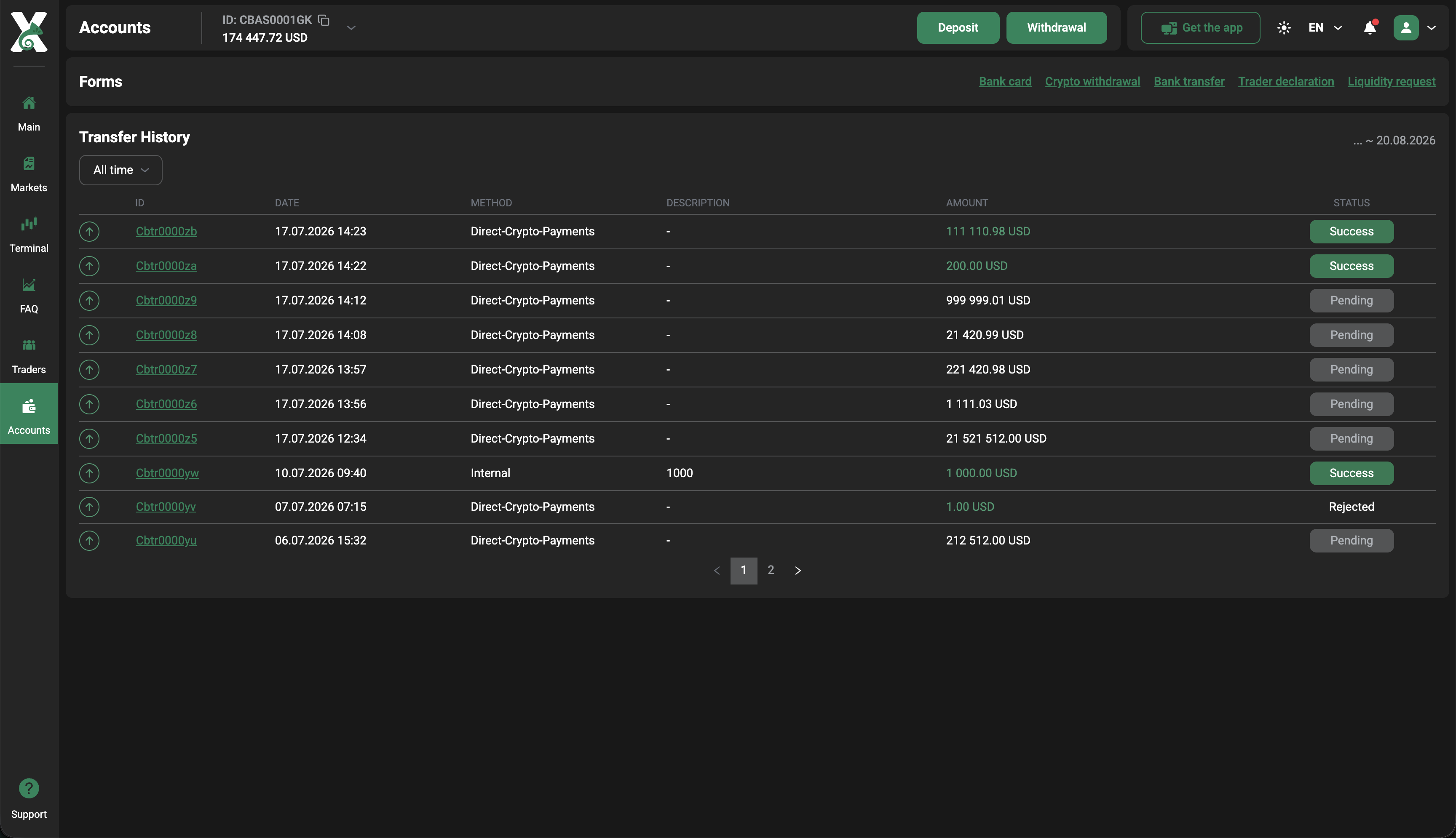
Transfer History provides a clear record of your payment activity after a transaction has been initiated. Here, you can review both deposits and withdrawals, return to previous operations, and see the current status of transactions that are still being processed.
Each record includes key transaction details, such as the operation type, amount, payment method, date, and status. This makes it easier to identify a specific payment, confirm its details, and see where it currently stands without relying on the initial transaction confirmation.
Next in the series, we’ll take a closer look at the Trading Terminal and the tools available for exploring instruments, analyzing the markets, and trading.