
Xameleon trading terminal brings together the main tools needed to analyze the market, place trades, and keep track of open positions. Charts take up the main part of the workspace, while orders and key account information are displayed directly below them. This makes it easy to see what is happening in the market and manage trades without moving between different screens.
You can choose an instrument, analyze its price chart, open or modify an order, and immediately see how your positions are performing. Balance, equity, profit, margin, and other account figures are also available directly from the trading screen.
Charts and Trading Tools
The main workspace is built around the chart, so market analysis and trading stay closely connected. Traders can follow price movements, analyze market conditions, and then move directly to placing or managing an order without leaving the screen.
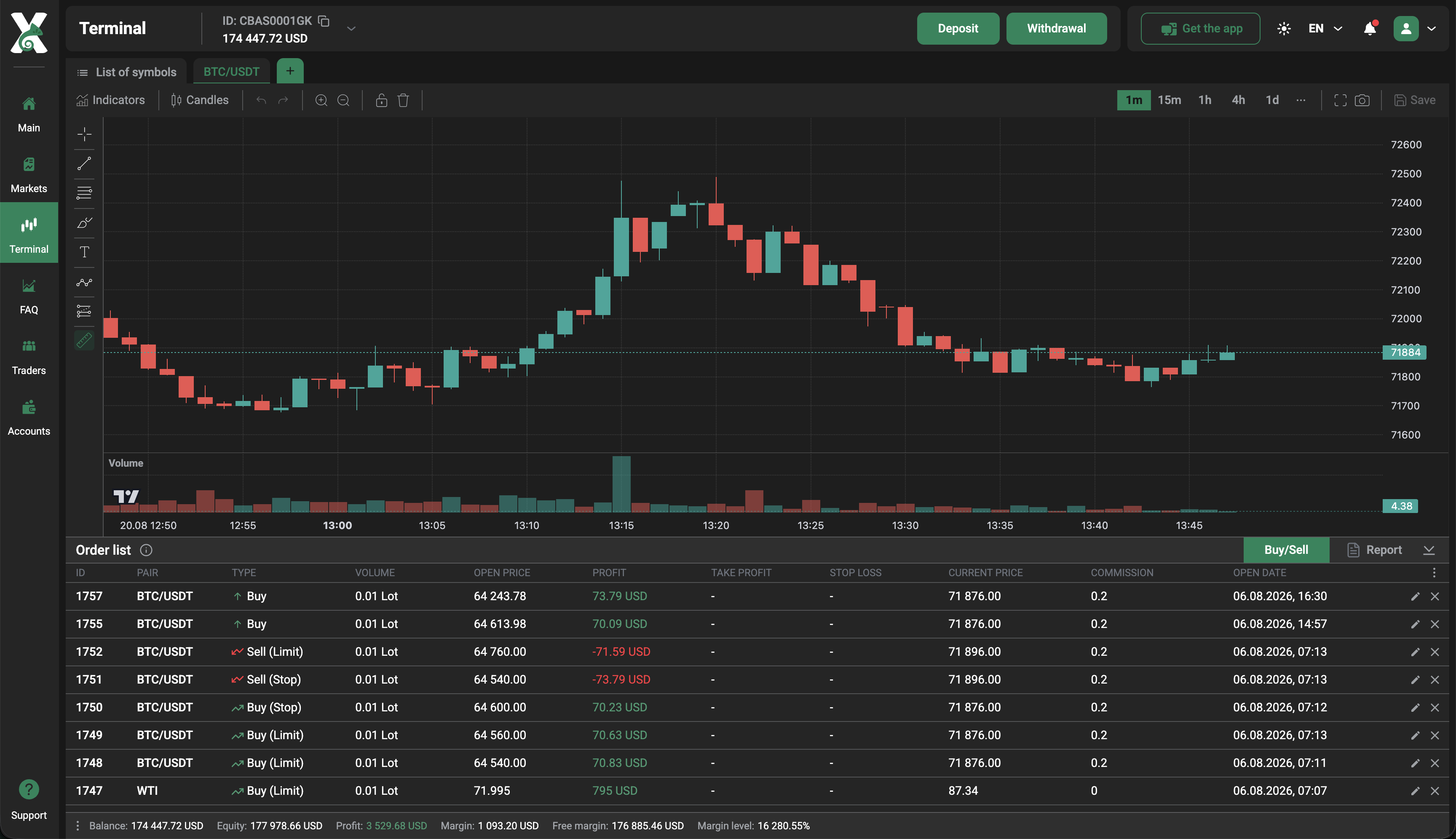
Open and pending orders are shown alongside the chart, making it easy to see what is currently happening with each position. The same workspace also provides an overview of account performance, so traders can keep an eye on both individual trades and the overall state of the account. The main trading tools include:
-
charts with different timeframes;
-
technical indicators and drawing tools;
-
market and pending orders;
-
Buy Limit, Sell Limit, Buy Stop, and Sell Stop;
-
Take Profit and Stop Loss;
-
current price and P&L tracking;
-
balance, equity, margin, free margin, and margin level.
This setup keeps the information traders use most often close at hand, from current market prices to the status of individual orders and the trading account as a whole.
Reports and Trading History
The Reports section gives traders a clear record of their completed trades and makes it easier to look back at previous activity. Rather than simply checking whether a trade ended in profit or loss, users can review how and when it was opened and closed and see the costs associated with it.
Filters help narrow the trading history to the period or type of orders that matters, while reports can also be downloaded for further review or record-keeping.
Overall, the trading terminal brings the key stages of trading into one workspace. Traders can move naturally from analyzing the market to managing positions and reviewing their results, with the information they need available throughout the process.